
DENTAL GROUPS / LOCATION PAGE WORKSHEET
Dental Location Pages: What Should Each Clinic Page Include?
This dental practice location page template helps a group turn verified branch information into a useful patient destination. Start with the real clinic, its team and the appointments it offers. Then make it easy to check the address, choose the correct service and reach the right reception team.
AI narration · UK English

When does a dental practice need its own location page?
Create a clinic page when it serves a distinct, real practice location and helps patients complete a local task. A shared layout is useful, but the branch facts must be specific. Decide whether the page earns its place through useful information before adding more towns to the website.
Consider an illustrative group with Bristol and Bath clinics. Patients need to know which building they are visiting, who works there and whether a particular appointment is available. Those differences justify two clinic destinations. A second Bristol page that merely swaps a nearby neighbourhood name into the same copy needs a clearer purpose before publication.
Keep the decision separate from the wider domain question. Our dental group website structure guide compares a shared website with separate practice websites. This template assumes you have already chosen where a genuine clinic page belongs and now need to make its content useful and maintainable.
Ask reception for the questions that repeatedly delay a booking or cause someone to arrive at the wrong door. Common tasks include finding the entrance, checking Saturday appointments, confirming a treatment location and calling the correct team. Use the answers to set the page order instead of beginning with a target word count.
Our recommended first screen identifies the practice, states its actual location and provides the next contact action. Keep directions and important limitations close enough to find without searching the footer. A patient should be able to recognise the right branch even when they arrive directly from a search result rather than the group homepage.
What information belongs in the location page template?
Include the branch identity, contact details, opening information, local team, treatments and a working booking route. Add useful arrival and accessibility details when the practice has verified them. Assign an owner to each fact so a template update does not silently replace one clinic’s information with another’s.
Start with a fact sheet approved by the branch manager. Record the public practice name, street address, phone, email, regular hours and any temporary arrangements. Keep a date and reviewer beside the source record. If the CMS repeats a phone number in several places, check all of them after a change rather than assuming they update together.
For UK practices, the GDC’s advertising guidance covers accurate information and the practice and professional details expected on a website. Use it alongside the template, including the complaints information and relevant clinician details. Have the responsible professional review claims about treatments and qualifications; a marketing editor should not guess what a clinician is qualified to provide.
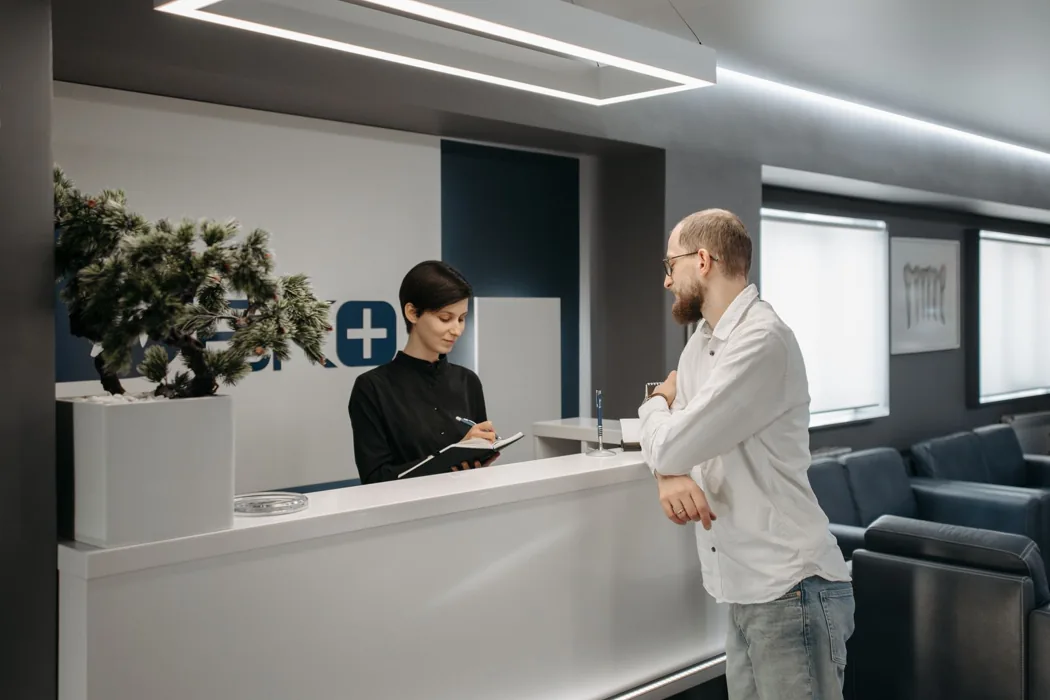
Use a real entrance photograph where the door is difficult to recognise. A picture of the actual reception or accessible route can also help someone plan their visit. The stock photography in this educational guide illustrates the topic; your own location page should make clear which images show the real branch and its team.
Write useful image descriptions that explain the information the picture adds. For an entrance image, the door or access route may matter more than repeating the practice name. Keep addresses, hours and contact details available as ordinary text as well, because a photograph is a poor place to store information patients need to read or copy.
| Page component | Clinic supplies | Acceptance check |
|---|---|---|
| Identity and arrival | Real address, entrance and access notes | A visitor can identify the right building |
| Team and treatments | Approved clinician and service information | Reception confirms actual availability |
| Contact and booking | Correct branch phone and appointment destination | Mobile actions reach the intended clinic |
| Maintenance | Named reviewer and update triggers | Changes have an accountable owner |
- Practice identity: public branch name, full address and verified contact details.
- Opening and arrival: regular hours, entrance, parking and accessibility facts.
- Local team: approved names, roles and links to professional information.
- Services: actual branch availability, with links to shared treatment explanations.
- Next step: branch-specific phone, enquiry or appointment destination.
- Maintenance: factual reviewer, review date and change triggers.
How should location pages connect to treatments and clinicians?
Show the treatments genuinely offered at the branch and link to the relevant explanation or consultation route. Link local team names to accurate clinician information where available. Keep shared treatment education consistent while making branch-specific availability clear, particularly when clinicians work across several sites.
An illustrative implant journey might begin with the group’s treatment guide and continue to a branch that provides the first consultation. If surgery takes place elsewhere, explain that distinction in approved wording before the patient books. Do not let a group-wide service list imply that every stage of care happens at every practice.
Use a simple service-availability register before building the links. For each treatment, ask the clinic to confirm whether it offers assessment, treatment, referral or none of those. A short explanation of the actual arrangement is more helpful than a long list of treatment keywords that reception cannot confidently answer questions about.
If a clinician works at two locations, maintain one accurate biography and link to it from both branch pages where appropriate. The local page can explain the relationship without creating two biographies that drift apart. Give somebody responsibility for updating the branch references when working arrangements change.
For implementation support, connect this worksheet to local SEO for dentists and our dental treatment SEO service. The useful connection is between a real service, a real clinic and a patient task. It is not a requirement to build a new treatment-and-town page for every possible combination.
How do you avoid duplicate pages and misleading local signals?
Use the template to standardise presentation, then verify the facts and purpose of each page. Do not invent clinics, addresses or local evidence to fill empty fields. Where a proposed page repeats the same patient task, review whether an existing page can answer it more clearly.
Google’s spam policies describe doorway abuse, including pages made for similar searches that funnel people to the same destination. Use that policy as a reason to inspect the page’s value rather than assuming that every shared design is a problem. A genuine branch page can use the same components while containing distinct, useful clinic information.
Keep a clear naming rule in your editorial register. A city may contain several actual branches, so the patient may need a neighbourhood or street identifier as well as the city. Use the wording the business can substantiate. Avoid adding “best” or unsupported specialist claims simply to make the heading look more competitive.
LocalBusiness structured data can describe the clinic’s visible details, using an appropriate specific type such as Dentist. Google’s documentation explains the relevant properties and validation process. The information must match the page; markup is not a substitute for accurate content or a guarantee of a search feature.
Before expansion, compare two draft pages side by side with the branch names hidden. Check whether their useful differences still exist in the services, team, arrival instructions or contact route. If the only difference is a place name, return to the practice for better information rather than padding both pages with generic dental explanations.
What should you test before publishing and after an update?
Test whether a new patient can identify the clinic, check the relevant appointment and reach the correct team on a phone. Verify links, images and factual details before publication. After changes, retest the affected journey and record the person responsible for keeping the information current.
Use an illustrative acceptance task: “Find the Bath clinic, check whether implant consultations are offered there and show how you would contact reception.” Ask someone outside the website project to complete it without instructions. Record where they hesitate, which label they misunderstand and whether the final phone or form destination is correct.
Check the page through its real navigation routes: the group’s clinic finder, a treatment link and the intended Business Profile website destination. Confirm that each route arrives at the right canonical page. Review mobile button labels and table behaviour, and make sure an overlay does not obscure directions or the contact action.
For measurement, separate page visits, contact attempts and confirmed bookings. An increase in clicks does not establish that more suitable patients booked at the correct clinic. Ask reception to flag wrong-branch enquiries and missing-information questions, because those observations can reveal a page problem even when traffic looks stable.
Finish with an update trigger rather than a forgotten annual reminder: changes to hours, clinicians, treatment availability and the entrance should prompt a page review. If your team needs help prioritising the first fix, request a dental SEO review. Bring the actual branch pages and the patient task you want to make easier.
Sources and photography
Official sources are linked beside the relevant claims. Guidance and image licences reviewed on 20 November 2026. Worksheets and practice examples are illustrative; they do not describe a client result.
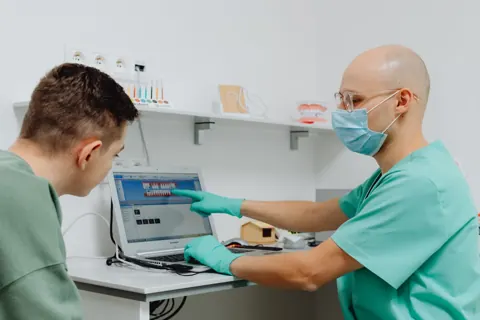
Cover photograph by Pavel Danilyuk. Inner photograph by Pavel Danilyuk. Used under the Pexels License. These stock subjects illustrate the topic and are not presented as RankDigital staff, clients or the clinics described in the examples.
Key takeaways
- Publish for real clinics and distinct patient tasks.
- Keep branch facts and clinical approval accountable.
- Connect available treatments to the correct team and contact route.
- Retest the journey when local information changes.
Summarise this article with AI
Open an assistant. For Claude, Grok or Poe, copy and paste the prompt.
 ChatGPT
 Claude
 Perplexity
 Google AI Mode
 Quora Poe
View or copy the prompt
Get Your Free
Dental SEO Audit
Find out how your clinic can rank higher, get more local
visibility and attract more patients — with a free, no-obligation SEO audit.
SEO analysisClear growth
opportunitiesActionable
next steps

Related articles
 RankDigital
Dental Group SEO: One Site or Separate Clinic Websites?
Choose a dental group website structure for SEO using brand continuity, clinic information, maintenance and migration needs, with practical UK examples.
Explore RankDigital
Local SEO for Dentists: The UK Google Maps Guide
Use a location checklist to improve your dental practice’s Google Business Profile, fix branch mismatches and measure Maps interactions and enquiries.
ExploreSTART WITH YOUR BIGGEST OPPORTUNITY
Let’s turn the next question into a clear plan.
Share your website, your priorities and what you want to improve.
Request your free audit